Message Templates Engine
Create, manage, and test high-converting email, SMS, WhatsApp, and Push templates with dynamic {{variable}} placeholders, category tagging, and deliverability optimization.
1. Message Templates Console & Setup
Access Developer Console → Templates at https://app.hubnest.io/developer/templates. Review registered email, SMS, WhatsApp, and Push templates with instant category filter buttons (Marketing, Utility, Authentication, Service). Click + Create Template to launch the template editor modal.
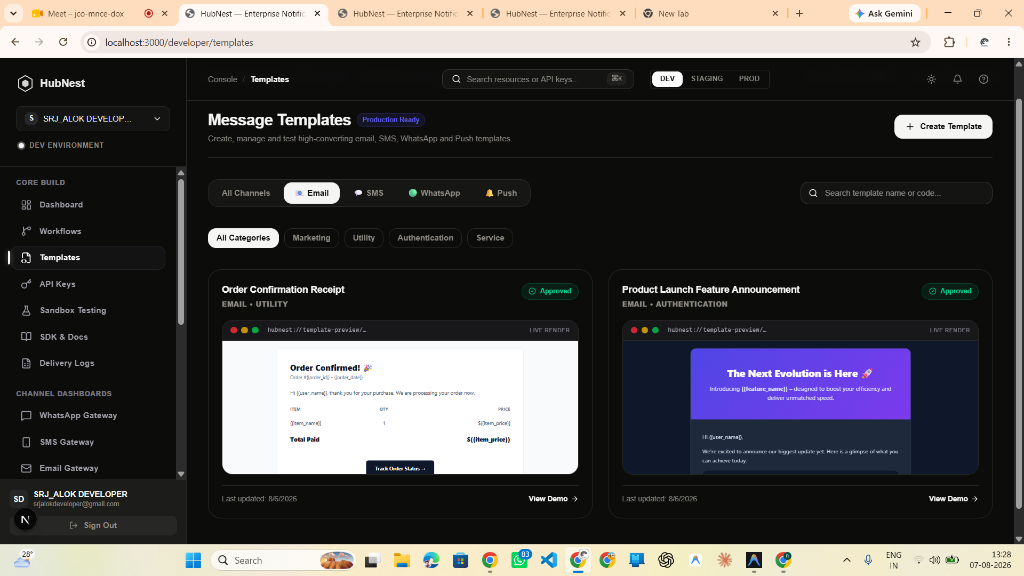
- Filter by channel: Email, SMS, WhatsApp, Push Notification.
- Filter by category: Marketing, Utility, Authentication, Service.
- View approval status and template ID keys.
2. Category Tagging & HTML Deliverability Score
Define your template key identifier (e.g. __product_launch__feature_anno) and assign a strict category. The built-in HTML analyzer evaluates your message body and displays a live Deliverability Score (100/100 EXCELLENT).
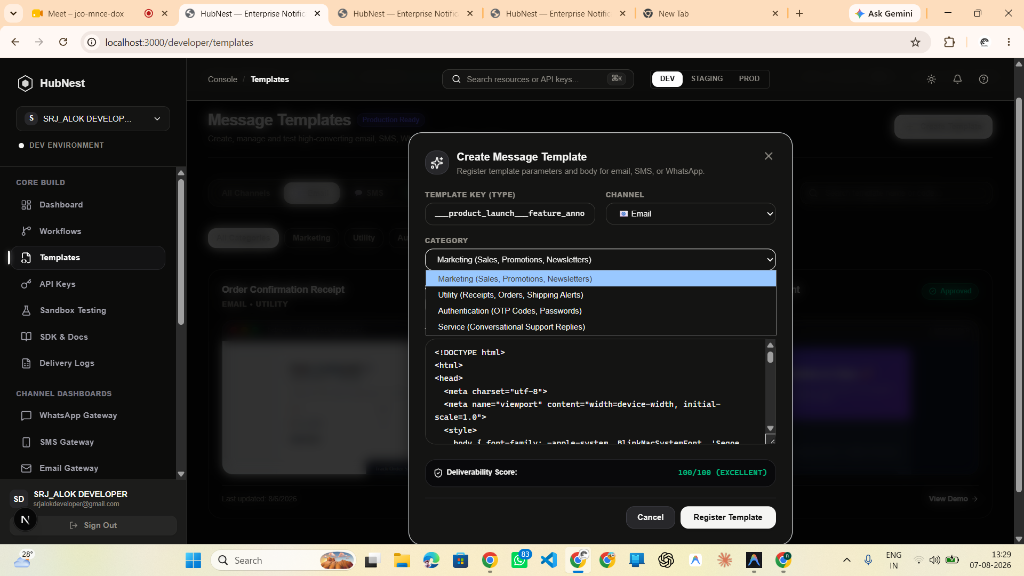
- Categories: Marketing (Sales/Newsletters), Utility (Receipts/Orders), Authentication (OTP Codes), Service (Support Replies).
- Live HTML syntax validator with 100/100 Deliverability Score check.
- Instant template registration.
3. Multi-Channel Routing & Dynamic Payload Variables {{user_name}}
Pick the Notification Channel (Email, SMS, WhatsApp, Push Notification). Embed dynamic {{user_name}}, {{action_url}}, and {{unsubscribe_url}} placeholders into the body. Variables are automatically extracted upon saving.
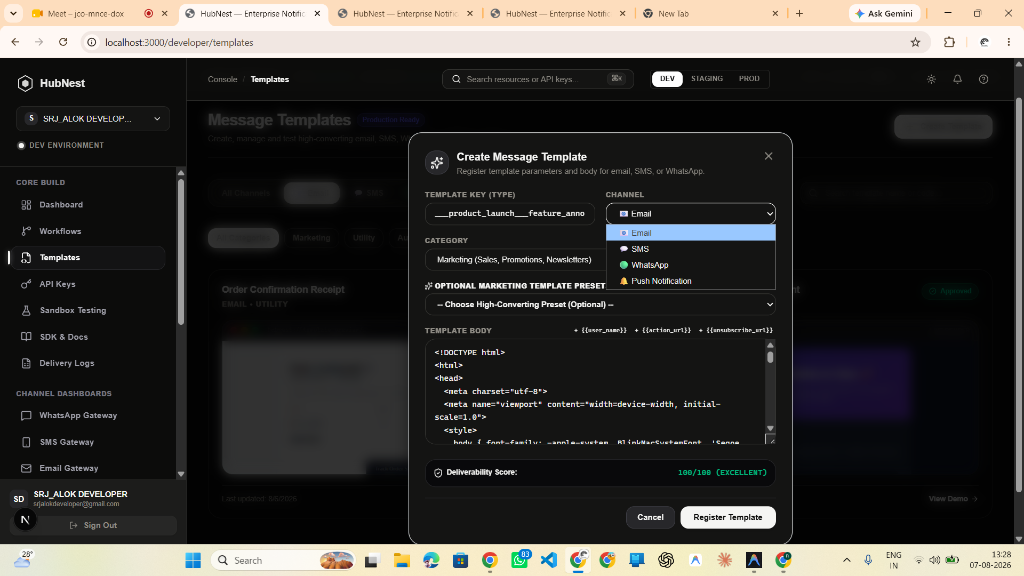
- Supports Email, SMS, WhatsApp, and Push Notification channels.
- Click + {{user_name}}, + {{action_url}}, + {{unsubscribe_url}} to insert dynamic tags.
- One-click preset injection for Order Confirmations and OTPs.
Next steps
Configure AWS SES IAM keys, verified domains, and sending rate limits.
Connect SendGrid API Keys and verified sender identities.
Connect Twilio Account SID, Auth Token, and phone numbers.
Connect Meta WhatsApp Cloud API access tokens and phone number IDs.